Domains and SSL
Every site gets an address in its region, such as erp.bom.frappe.cloud. You can also serve the site from a domain that you own, such as erp.contrail.example.
Domain types
| Domain | Example | HTTPS |
|---|---|---|
| Region address | erp.bom.frappe.cloud | Frappe Cloud serves it over HTTPS. You do not need a certificate. |
| Custom domain | erp.contrail.example | Pilot gets a Let's Encrypt certificate for it on the server. |
The site name is always one of its domains. Pilot marks it Included in the domain list.
Before you begin
- You must own the domain. If you do not have one, buy it from a domain provider first.
- You need access to the DNS settings of the domain at your domain provider.
Add a custom domain
- Go to Sites. Click the site, such as
erp.bom.frappe.cloud. - Click the Settings tab. Under Domains, click Use your own domain.
- Type the Domain, such as
erp.contrail.example. - If Pilot asks for a Let's Encrypt email, type your email address. Let's Encrypt uses it to issue and renew the certificate.
- Click Continue. Pilot shows the DNS records to add.
- Add the records at your domain provider. Keep the dialog open.
- Click Verify DNS.
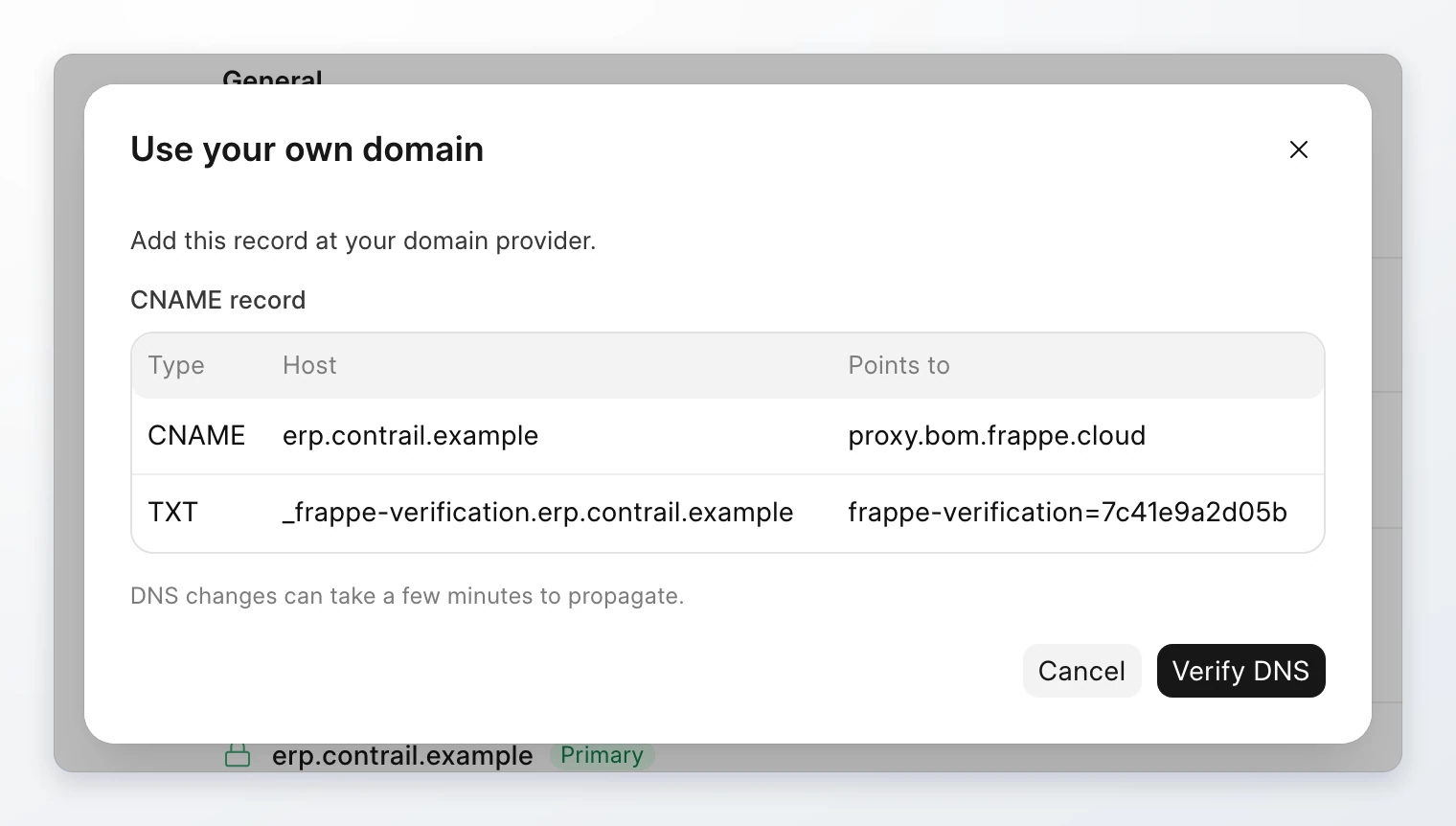
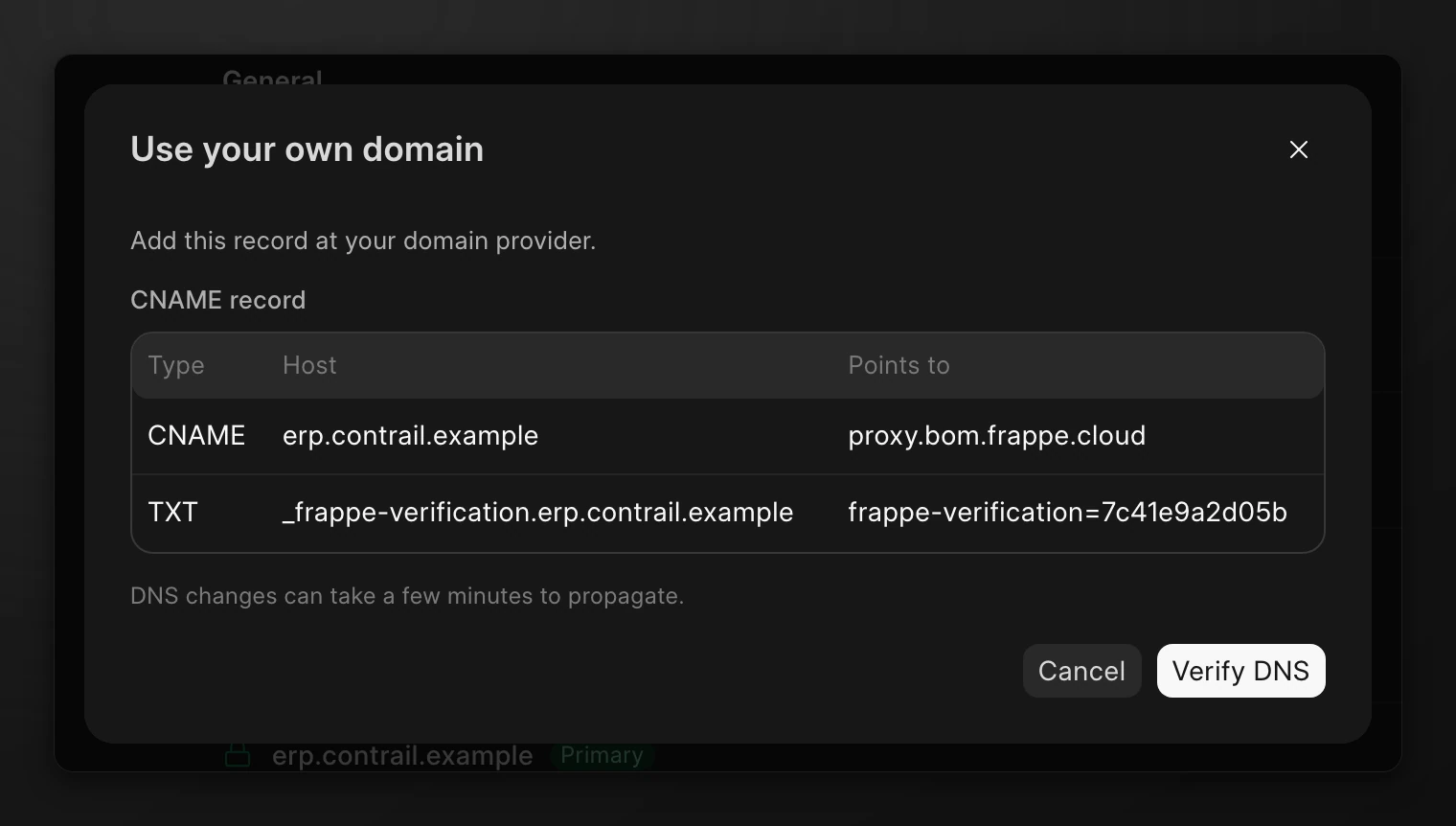
The dialog shows two records. Add both:
| Type | Host | Points to |
|---|---|---|
CNAME | erp.contrail.example | proxy.bom.frappe.cloud |
TXT | _frappe-verification.erp.contrail.example | A verification code that Pilot shows |
The CNAME record sends traffic for the domain to your server. The TXT record proves that you control the domain. The verification code is valid for 24 hours.
DNS changes can take a few minutes to reach all DNS servers. If Verify DNS fails, the dialog shows which record is not set yet. Wait a few minutes and click Verify DNS again.
After the domain is verified, Pilot gets the certificate. The domain shows Certificate pending until the certificate is ready. A closed lock icon next to a domain means TLS is active.
Make a domain primary
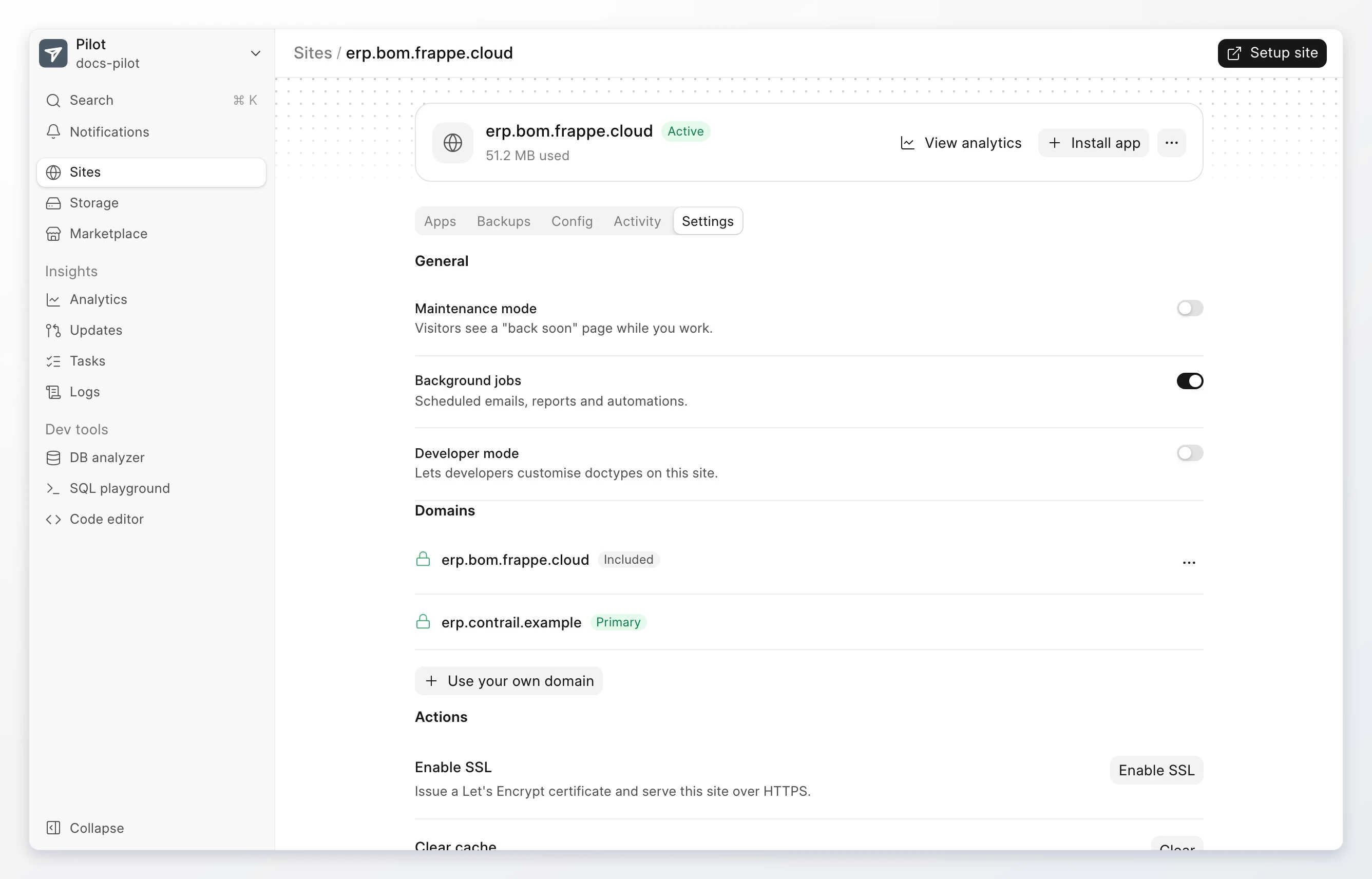
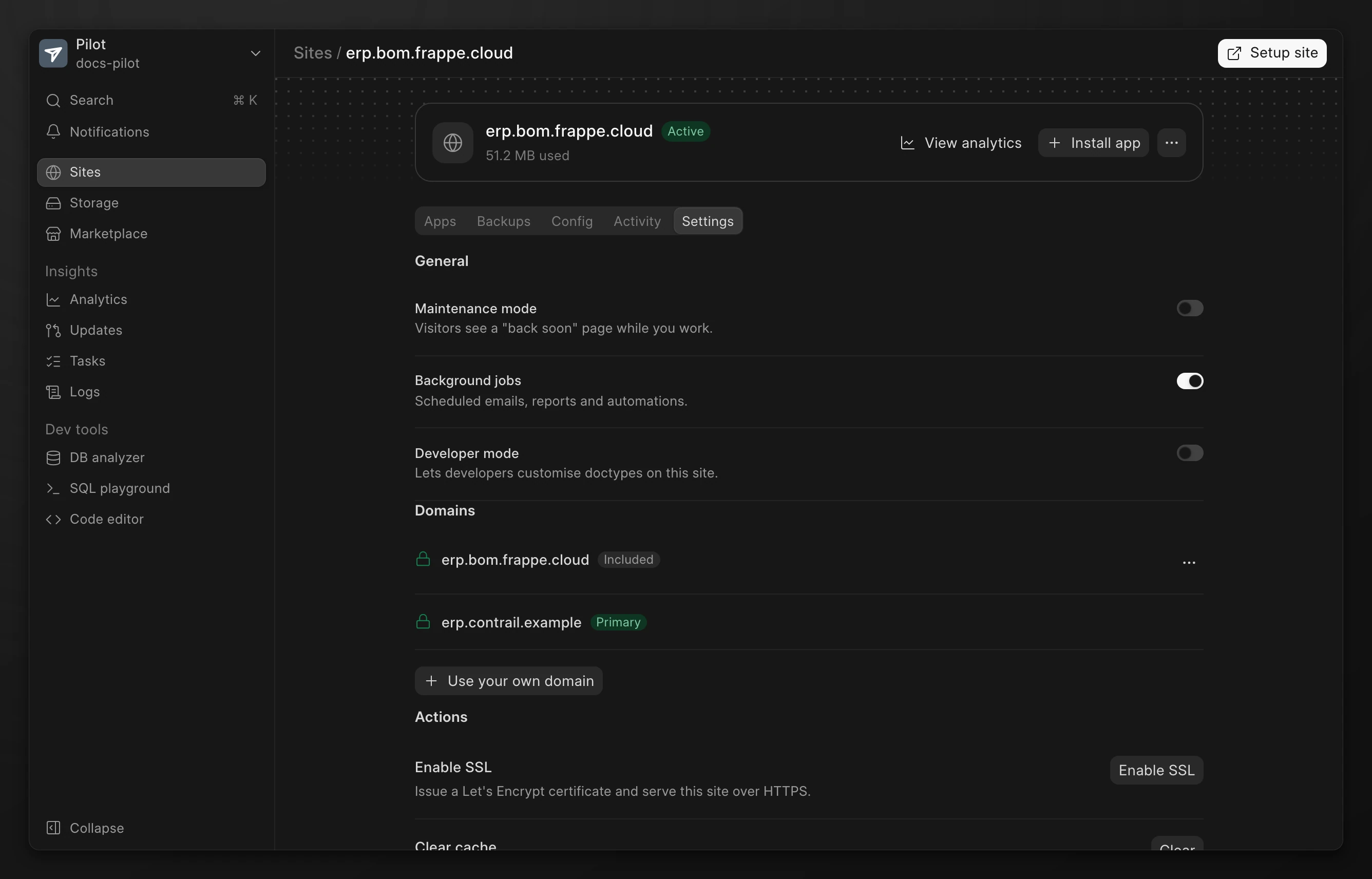
The primary domain is the main address of the site. Pilot redirects the other domains of the site to it.
- Go to the site page. Click Settings.
- Under Domains, click the actions menu on the domain.
- Click Make primary.
The primary domain shows Primary. The Sites page then shows the site by its primary domain.
Remove a custom domain
The site stops serving the domain when you remove it.
- Go to the site page. Click Settings.
- Under Domains, click the actions menu on the domain. Click Delete.
- Click Remove to confirm.
You cannot remove the primary domain or the site name. To remove the primary domain, make another domain primary first.
Remove the DNS records at your domain provider after you remove the domain.
Turn on SSL for a site
If a site has no TLS, its Settings tab shows Enable SSL under Actions. Click Enable SSL to get a Let's Encrypt certificate and serve the site over HTTPS. If Pilot asks for a Let's Encrypt email, type it and click Enable SSL.
Limits
- A domain can point to one server only. If another server uses the domain, Pilot shows that it is already taken.
- The verification code expires after 24 hours. Click Continue again to get a new one.