Server activity
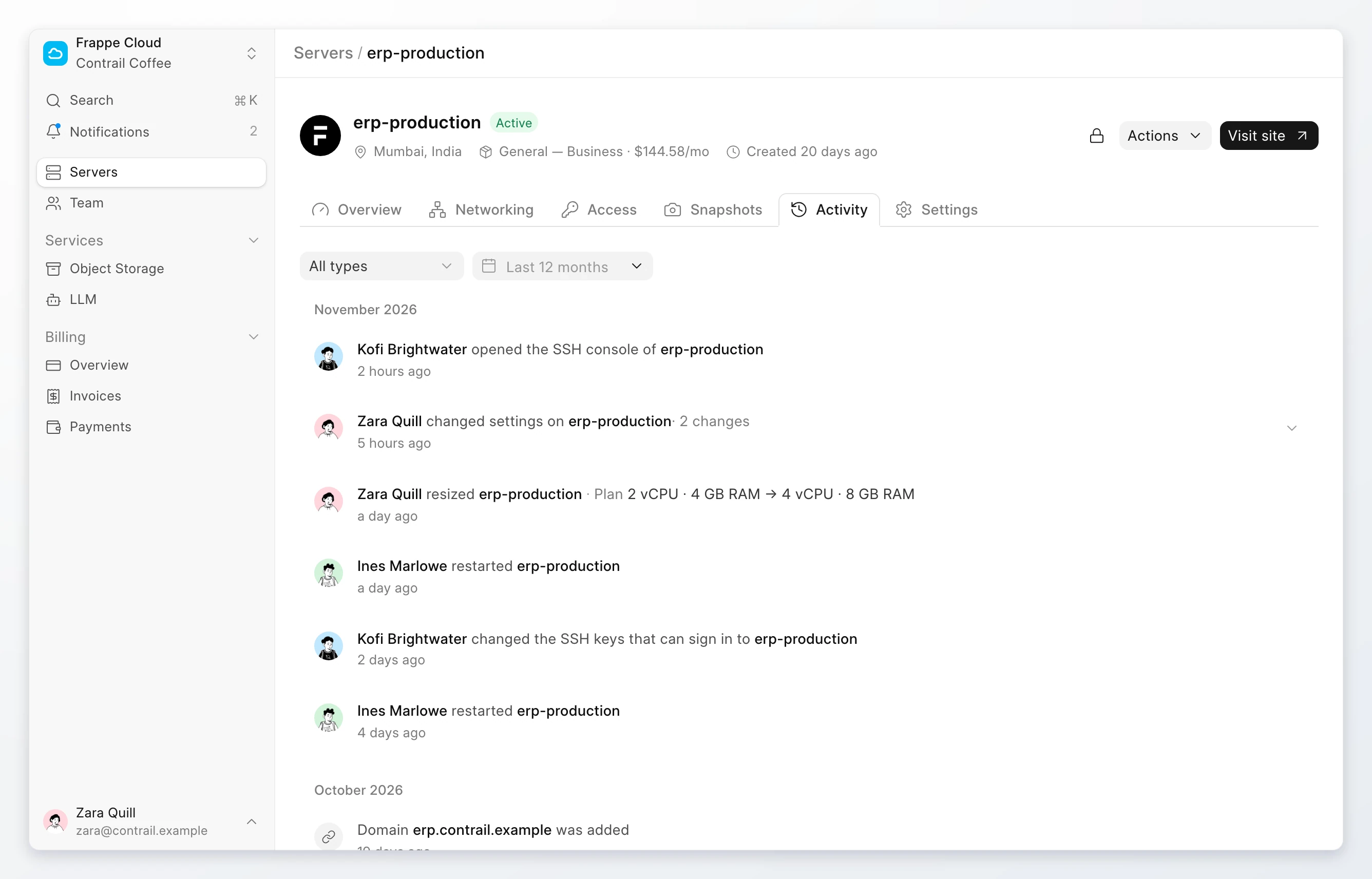
The Activity tab of a server lists each change to the server, its sites, and its snapshots, with the person who made it.
Go to Servers, click a server, then click Activity.
Read an event
Events show newest first, under a heading for each month. A new event shows at the top without a reload.
Each event is one sentence that names the person and the resource, such as "Zara Quill resized erp-production". The line below shows how long ago it happened. Hold the pointer over the time to see the exact date and time.
| You see | Meaning |
|---|---|
| Frappe Cloud as the person | Frappe Cloud staff did the action. |
| No person | The system did the action, such as an automatic snapshot. |
| twice or 5 times | The same person did the same action several times in a row. |
| 3 changes | One save changed several settings. Click the row to see each old and new value. |
| Pending, Failed, or Timed Out | The action is not complete, or it did not succeed. A failed action shows its error in red. |
Event types
| Type | Events |
|---|---|
| Actions | Create, start, stop, restart, resize, and terminate. |
| Configuration | A new name, plan, firewall or firewall rules, public addresses, termination protection, or automatic snapshots. |
| Sites | A site created, opened for the first time, or deleted. A domain added or removed. |
| Access | A change to the SSH keys of the server. The SSH console or the serial console opened. |
| Snapshots | A snapshot started, ready, failed, or deleted. |
Filter the events
- Select a type in the first filter to see only the events of that type.
- Select a period in the date filter, or select your own dates. The longest period is Last 12 months.
Click Load more at the bottom of the list to see older events. The list loads 50 events at one time.
Limits
- Frappe Cloud keeps events for 12 months.
- You see only the events that your role lets you see. The Viewer and Billing roles do not see SSH key and console events.
- A member with access to some servers sees the events of only those servers.
To see the events of all servers and of your team, go to Team, then click Activity.